Free AI Game Developer
An AI agent that builds, edits and playtests your game live in Unity, Unreal Engine, Godot, BRUTAL, Bevy and Three.js. Describe what you want: it writes the code, changes the scene and checks the result in the running game.
Unity 2022.3+ · Unreal Engine 5.5+ · Godot 4.3+ (.NET) · Windows, macOS, Linux
- Free forever with your own AI agent
- Built-in AI models: 7-day Indie trial
- Open-source engine plugins

- Unreal
- Unity
- Godot
- BRUTAL
- Bevy
- Three.js
 Unreal
 Godot
 BRUTAL
 Bevy
 Three.js
Made with AI Game Dev
Screenshots from real sessions, not mock-ups. Each one links to the post that shows how it was made.
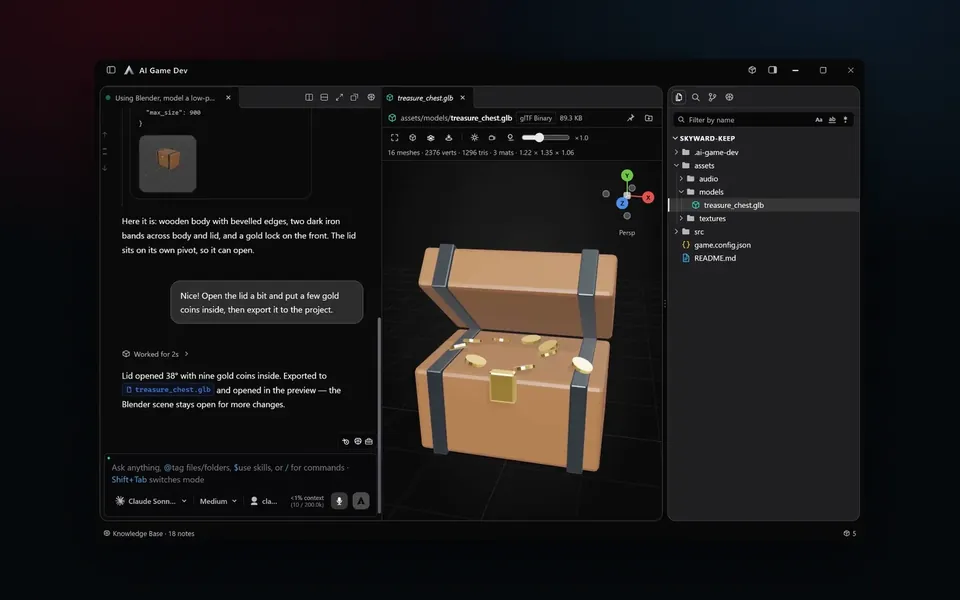 3D models in BlenderFreeA treasure chest modelled in a real Blender from a chat, then exported to the project.How it was made →
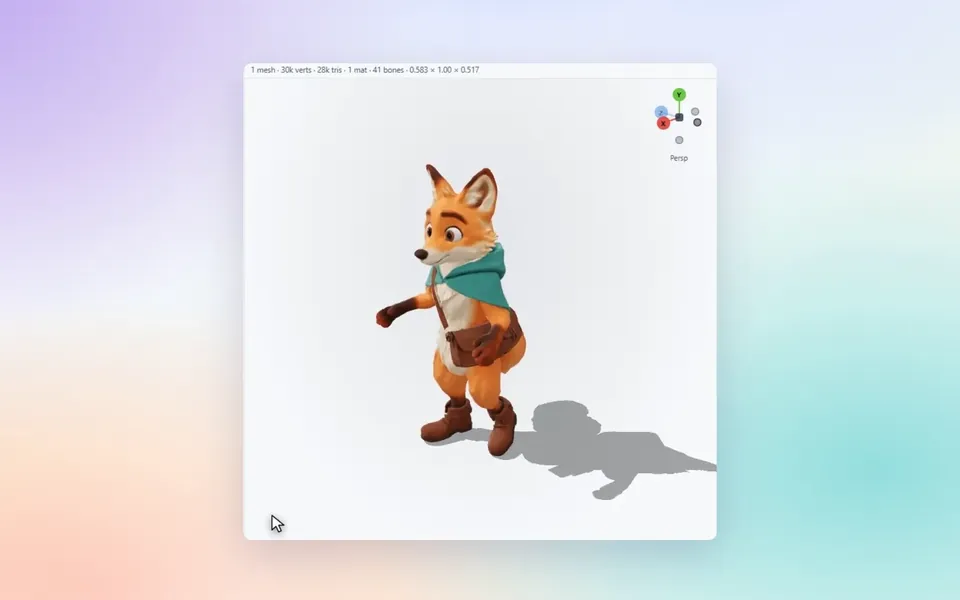 Character to rigged 3DPaid plansThree character views became a textured fox with a 41-bone rig, ready to animate.How it was made →
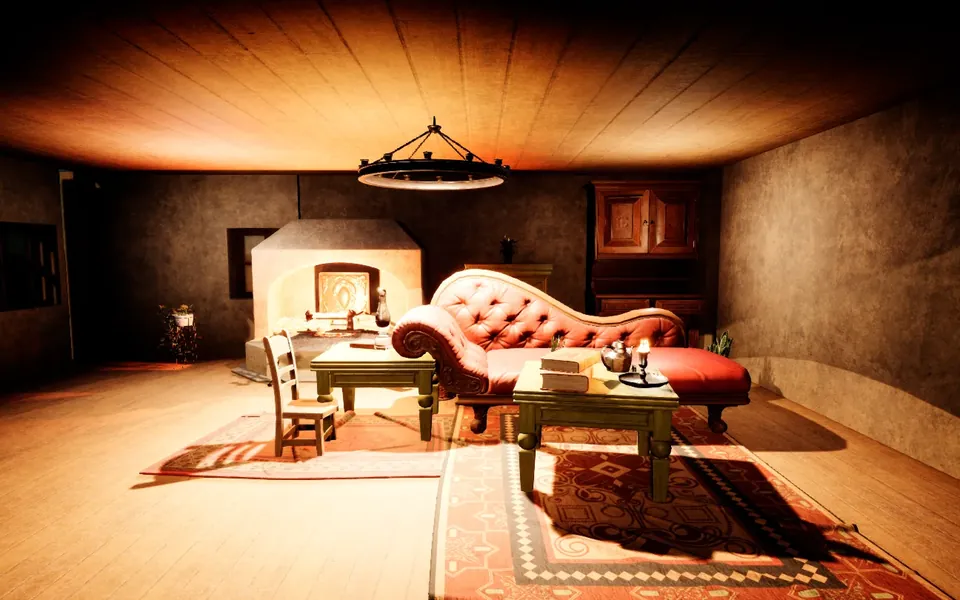 Unreal Engine scenesFreeA cozy room dressed and lit by the agent from packs in the user's Fab library.How it was made →
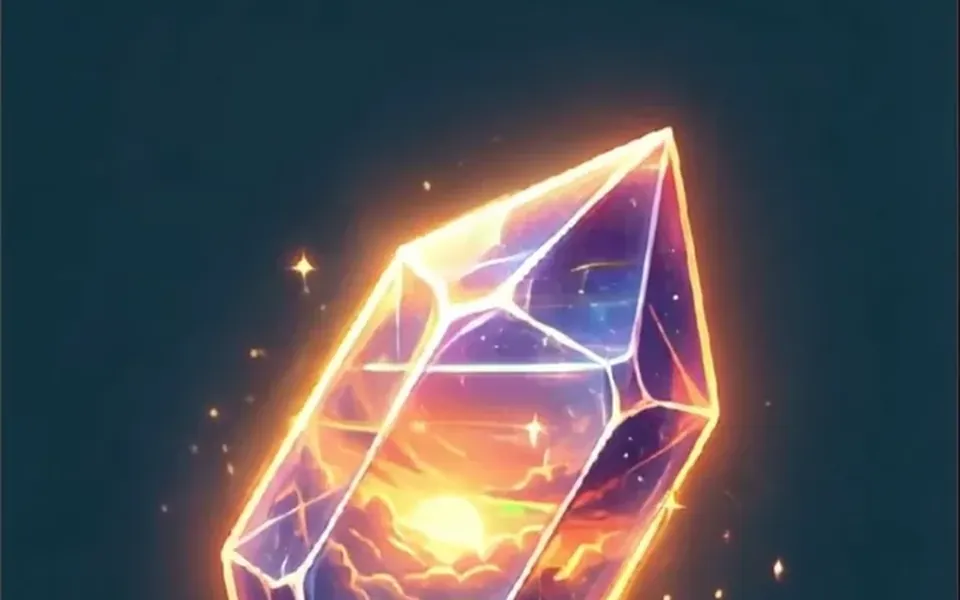 Video on your own GPUFreeA two-second animated HUD icon generated locally with an open video model, at no cost.How it was made →
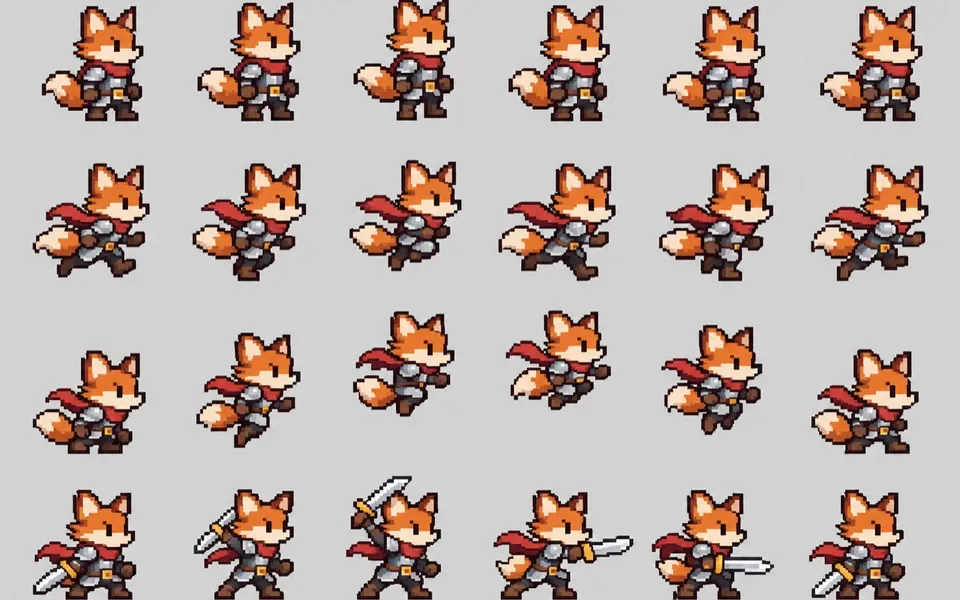 Sprite sheetsPaid plansIdle, run, jump and attack frames for a fox knight in one consistent style.How it was made →
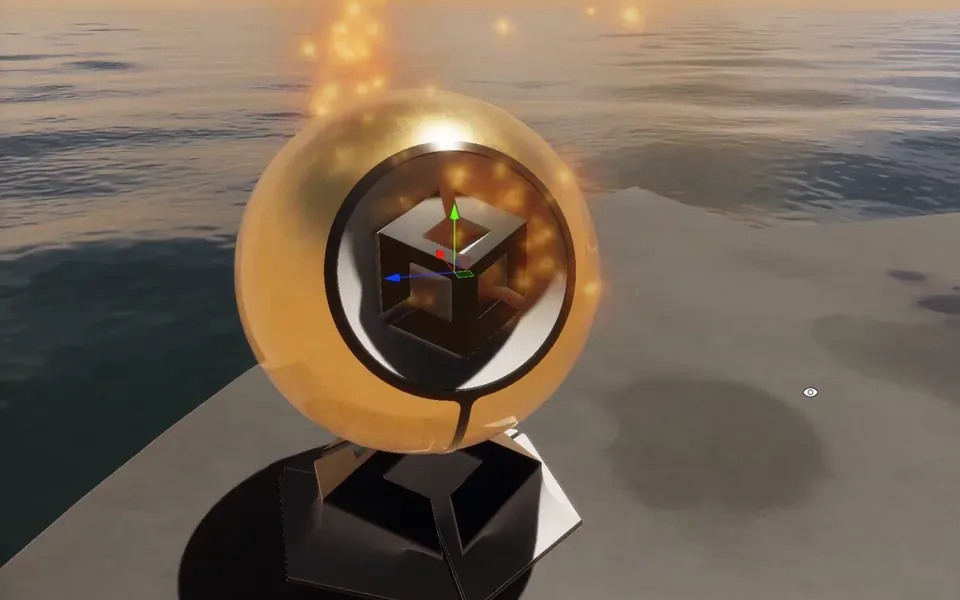 Unity visual effectsFreeA glowing particle effect built by the agent through Unity’s ParticleSystem modules.How it was made →
From download to a playable change in minutes
Download and sign in
Install the free app on Windows, macOS or Linux and sign in with a free account. No credit card.
Open your project
Pick a new or existing Unity, Unreal, Godot, BRUTAL, Bevy or Three.js project. The app sets up the engine connection for you.
Describe what you want
The agent writes the code, edits the scene, then runs the game and checks its own work with screenshots and the console. It runs on your own AI agent, or on our built-in models with a paid plan.
Prefer the terminal? The same agent ships as the gamedev CLI. Installation guide →
Everything a game developer needs, without the lock-in
One agent for every engine, the model you choose, and a free plan with no expiry date.
Free forever, not a trial
The app and the Free plan have no expiry date: open-source engine plugins for your own AI agent, plus image, video and music generation on your own computer. Built-in AI models come with the paid plans.
Six engines, one app
Unity 2022.3 LTS or newer, Unreal Engine 5.5 or newer (C++ projects) and Godot 4.3 or newer (.NET), plus BRUTAL, Bevy and Three.js, which the app creates, builds and runs for you. The engine plugin installs itself.
It playtests its own work
Not just code completion: the agent enters Play mode, reads console errors and takes screenshots, then fixes what it finds.
You pick the exact model
Claude, GPT, Gemini or DeepSeek: choose for each chat. The pricing page lists the models in every plan, and the availability page shows where each one is offered.
Bring your own agent
Already use Claude Code, Codex, Cursor or Copilot? The engine plugins are open source (Apache-2.0) and work with any MCP client.
Free generation on your GPU
Images, textures and video run on your own GPU with open models, and music is composed with SuperCollider on your computer: $0 per asset and nothing uploaded.
Images, textures and video, made on your own GPU
The app runs open models right on your computer. Nothing is uploaded and nothing is billed: generate as much as you like.
- $0
- per image or clip
- 11
- open model families
- 4 GB
- of VRAM to start
NVIDIA GPUs from 4 GB and Apple silicon Macs. Each model’s licence applies.
- FLUX.1 schnell
- FLUX.2 klein
- SDXL
- Juggernaut XL
- RealVisXL
- Animagine XL
- Qwen-Image
- Qwen-Image-Edit
- Z-Image Turbo
- LTX-2.5 video
- Wan 2.2 video
One framework for everything you build
Any engine, any agent, any skill, any plugin, any model. Swap one piece and the rest keeps working.
Any engine
Unity, Unreal Engine, Godot, BRUTAL, Bevy and Three.js. Same app, same workflow.
Your agents & skills
Pick an agent for each chat, write your own, and call skills with $.
Plugins for the AI
Packages add new powers: Blender, music, 3D generation, image and video models.
Any LLM
Claude, GPT, Gemini, DeepSeek and more. Choose the model for each chat.
Your project stays yours
Game code and assets are your studio's most valuable work. Here is exactly what happens to them, in plain words from our Privacy Policy.
Trust & security in detail →- We do not collect or store your source code, project files, scenes or game assets through the MCP relay. Only files you choose to send for asset generation are processed.
- With your own agent on the Free plan, your prompts go straight to your AI provider and do not pass through our servers.
- Our MCP relay only routes tool calls between your agent and the editor. It does not inspect or store their contents.
- On paid plans our server sends Claude and GPT requests straight to Anthropic and OpenAI, with no reseller in between. Their API terms say that content is not used to train their models by default.
Already have an AI agent?
Every engine plugin also works on its own with Claude Code, Cursor, Copilot, Gemini and others: an MCP server, a CLI that installs and configures it, and AI skills generated from the tools in your project. The app sets all of this up for you — reach for these only if you bring your own agent.


Questions, answered
Is AI Game Dev really free?
Yes, the core is free and never expires: the desktop app, the gamedev CLI, the open-source engine plugins for your own AI agent (Claude Code, Codex, Cursor, Copilot and others), and image, video and music generation on your own GPU. Hosted chat models inside the app need a paid plan, and Indie starts with a 7-day free trial.
Which AI models can I use?
On paid plans you choose the model for each chat. Indie includes Claude Haiku, GPT Luna and DeepSeek. Studio and above add Claude Sonnet, Opus and Fable, GPT Sol, Terra and Astra, and Gemini. With your own agent on the Free plan, you use whatever model that agent runs. Some models are not offered in every country, and a few need age confirmation: the model availability page lists them.
Which engines and versions are supported?
Unity 2022.3 LTS or newer, Unreal Engine 5.5 or newer (C++ projects) and Godot 4.3 or newer (.NET): the app installs and connects the right engine plugin for you. The desktop app and the gamedev CLI also create and run BRUTAL (C#, .NET 10), Bevy (Rust; install Rust with rustup) and Three.js web games, and connect the agent to the running game.
Do I need to write C#, C++ or GDScript myself?
No. The agent writes and edits the code for you. Your Unity project stays C#; your Godot game code can stay GDScript (the addon needs the .NET build of Godot and the .NET 8 SDK to compile itself); and a Blueprint-only Unreal project needs one C++ class added once, after which you can keep building in Blueprints and the agent can author Blueprints for you.
Do I need an account or a credit card?
You sign in with a free AI Game Developer account. The Free plan needs no credit card. Starting the free trial of a paid plan asks for a card, and you can cancel before it ends.
Is my code used to train AI models?
We do not collect or store your source code, project files or game assets through the MCP relay; only files you choose to send for image, video, audio or 3D generation are processed. With your own agent, your prompts go straight to your provider. On paid plans our server sends Claude and GPT requests straight to Anthropic and OpenAI, whose API terms say that content is not used for training by default. A few image, video and 3D providers' terms do allow training on the files you send them; the Privacy Policy names every provider and its terms.
Can I use Claude Code, Codex, Cursor or Copilot instead?
Yes. The Unity, Unreal and Godot plugins are open source under Apache-2.0 and work with any MCP client. A couple of CLI commands install the plugin and configure your agent, and the plugin itself is free.
Which operating systems are supported?
The desktop app runs on Windows x64, macOS (Apple silicon and Intel) and Linux x86_64. The CLI also runs on Linux arm64.
Your next game starts with one prompt.
Download the free app and open your project.