BRUTAL .NET Game Development with AI — Zero-Setup C# Games in AI Game Developer
Create a BRUTAL C# game and press Play Game. AI Game Developer downloads a verified .NET SDK, adds the Brutal-MCP plugin and connects the AI agent.
BRUTAL is a free, open source C# framework for making games, or your own game engine, by Ahwoo. It gives C# direct access to native APIs and Vulkan, with bindings for GLFW, SDL, Dear ImGui, Jolt, Box2D, FMOD, RakNet and more. On purpose, it has no editor, no scene graph and no renderer: you write your own stack. AI Game Developer, our desktop app with a built-in AI agent, now makes the first steps with BRUTAL nearly effortless. Create a project, press Play Game, and the app prepares everything the game needs to build and run, including the .NET SDK.
This post explains what happens when you press Play Game, and what the AI agent can do with a running BRUTAL game.
BRUTAL .NET Game Development with AI
A framework without an editor is a natural match for an AI agent: the whole game is code, and the agent is good at code. Two things were still in the way. The first was setup: the right .NET SDK, the NuGet packages, a project that builds. The second was visibility: without an editor, there is no inspector where you or the agent can look at the game's state while it runs.
AI Game Developer solves both. Setup is automatic, and the Brutal-MCP plugin runs inside your game and connects it to the agent.
Create a BRUTAL Project
Create a project from the desktop create project dialog, from the CLI, or by asking the agent in a chat. The app writes a .NET 10 console project that references the BRUTAL packages a first game needs (Core, Logging, Glfw and Concurrency) and the Brutal-MCP plugin. Its Program.cs sets up logging, opens a GLFW window and runs a frame loop.
/create-project brutal my-gameThe project also contains a NOTICE.txt, and its README lists the obligations of the BRUTAL License: a game you ship credits Ahwoo and shows the BRUTAL logo before gameplay. It is easier to get this right from day one than to remember it before release.
Play Game: Zero-Setup .NET
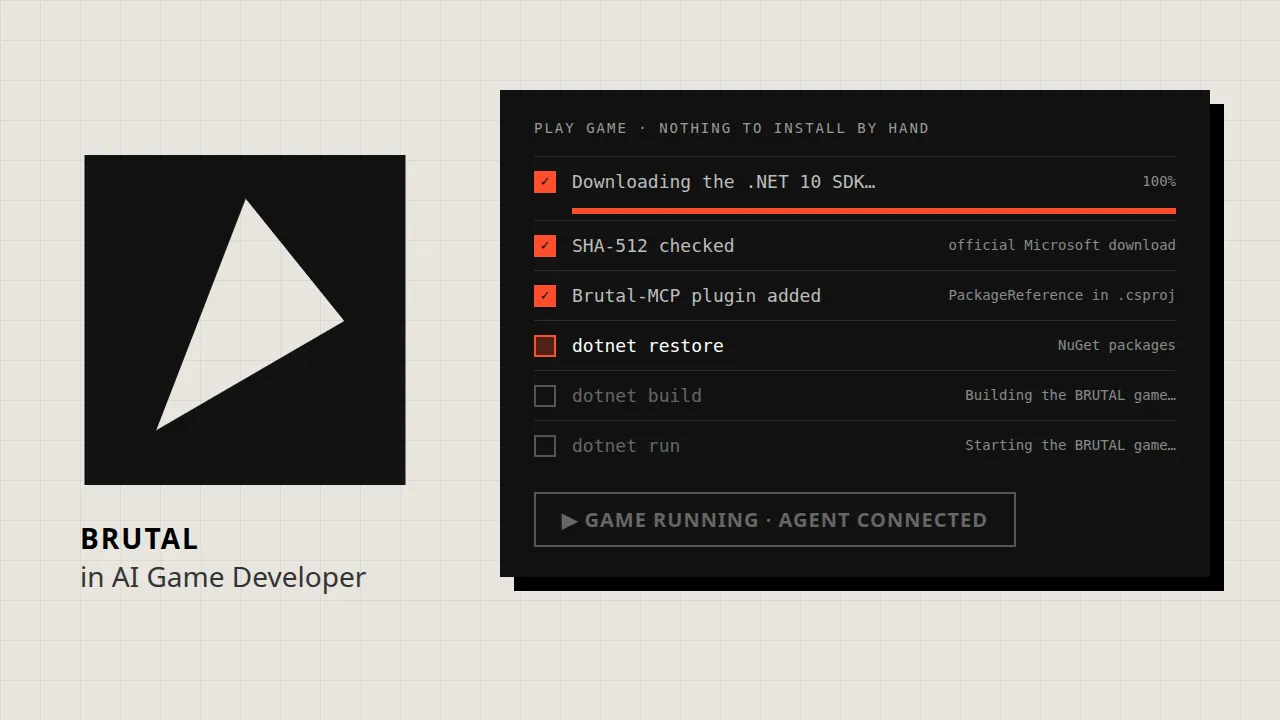
You do not need to install anything by hand. When you press Play Game the first time, the app works through these steps and shows each one in a single progress card:
- The .NET SDK. If your machine already has a .NET 10 or newer SDK, the app uses it. If not, it downloads its own copy from Microsoft's official servers, shows the download percentage, and checks the archive against a pinned SHA-512 hash before it installs it into its own folder. Nothing changes in your system-wide .NET setup.
- The plugin. If the project does not reference the Brutal-MCP package yet, the app adds it to the .csproj.
- dotnet restore, which downloads the BRUTAL packages from NuGet on the first run. The card keeps showing how long the restore has been running, so you know it is still working.
- dotnet build. If the build fails, you get the compiler's error lines, not a game that never appears.
- dotnet run. The game starts in its own window and connects to the agent.
The SDK download is about 200 MB, so it happens only when it is needed, not when the app starts. After that, Play Game goes straight to the build. If you need a specific SDK version, choose it in the settings, and a global.json in your project wins over the setting, as it does with the dotnet command. If the download cannot work, for example offline, the app links to Microsoft's .NET download page so you can install the SDK yourself.
The details are careful too. If you removed the plugin from a project on purpose, the app remembers that and does not add it back. If the plugin is referenced from a shared MSBuild file such as Directory.Build.props, the app sees it there and leaves your files alone. And if a game fails because a native library is missing on your system, such as a graphics or windowing library, the message starts with what to install.
What the Agent Can Do in a Running Game
Brutal-MCP is a NuGet package, com.IvanMurzak.Brutal.MCP, published on nuget.org. It runs inside your game process and connects it to the agent through AI Game Developer. With it the agent can inspect and change the running game with RQL, one query language instead of hundreds of separate tools, read the game's logs, and ask the game to quit. When the game runs, it also writes two skills for the agent into your project, brutal-rql and brutal-framework, which teach the agent how to query the game and how to write BRUTAL code.
Because BRUTAL has no scene graph, you choose what the agent sees. Register the objects that matter, and call Tick once per frame so that changes the agent makes run on your main thread between frames:
BrutalMcp.Register(world, "World");          // make objects visible to agents (any C# object)
BrutalMcp.Register(scheduler, "Simulation");

while (!window.ShouldClose && !BrutalMcp.QuitRequested)
{
    Glfw.PollEvents();
    Update();
    BrutalMcp.Tick();                        // once per frame: agents' main-thread work runs here
}
Static fields and properties of your game assembly are visible without registration, and you can mark methods the agent may call with an attribute. The plugin never throws into your game: problems are written to the console with a Brutal-MCP prefix.
Extensions for BRUTAL's Libraries
BRUTAL's power is in its bindings, so the plugin has optional extensions for them: ImGui, GLFW, SDL, Jolt, Box2D, FMOD, RakNet, the Vulkan Memory Allocator and RenderDoc. Each one is a separate NuGet package with a one-line setup, installed from the app or with the CLI's install-extension command. The app warns you when an extension needs a BRUTAL package that your project does not reference yet.
Get Started
Download AI Game Developer from ai-game.dev/download, create a BRUTAL project and press Play Game. While the SDK downloads, tell the agent what you want to build. To learn more about the app, see ai-game.dev/docs/app. Interested in other engines without an editor? Read about Bevy at ai-game.dev/blog/bevy-game-development-with-ai and about Three.js web games at ai-game.dev/blog/threejs-game-development-with-ai. To learn BRUTAL itself, start with its repository at https://github.com/ahwootech/BRUTAL.
Image credits: the BRUTAL emblem identifies the framework; BRUTAL and its logo belong to Ahwoo Limited. The illustrations were made by AI Game Developer.