New AI Models in AI Game Developer: Claude Fable 5.2 and GPT-Image 2.6
Claude Fable 5.2 and GPT-Image 2.6 are now in AI Game Developer. Smarter answers, sharper game art, and nothing to set up. See what the new image model can do.
Two of the models behind AI Game Developer just got better. Claude Fable 5.2 from Anthropic replaces Fable 5.1, and GPT-Image 2.6 from OpenAI replaces GPT-Image 2.5 for image generation. Both are live for you today, and you do not need to change a thing: the app moves you to the new versions on its own.
We like to keep you on the newest models, because a new version is usually the better one. This time the upgrade is a happy one twice over: Fable 5.2 is stronger and also lighter on your plan limit than Fable 5.1, and GPT-Image 2.6 draws noticeably sharper game art at the same token prices.
New to AI Game Developer? The quickstart at ai-game.dev/docs/quickstart connects your Unity, Unreal Engine or Godot project in a few minutes.
What Is New at a Glance
- Claude Fable 5.2: Anthropic's most capable model, for the hardest reasoning and long, multi-step work inside your game project. It replaces Fable 5.1.
- GPT-Image 2.6: OpenAI's newest image model, in two flavors, Flare and Sunburst. It replaces GPT-Image 2.5 and makes cleaner, more detailed images for sprites, icons, concept art and key art.
- Nothing to set up: if you chose Fable 5.1 or an Image 2.5 model before, you are already on the new version.
Claude Fable 5.2: A Smarter Partner for Big Tasks
Fable is the model to reach for when a task is genuinely hard: a gameplay system that touches a dozen scripts, a save system that has to survive version updates, a refactor you have been putting off, or a bug that a faster model keeps circling around. Fable 5.2 is Anthropic's latest step on that line, and it keeps the same huge 1 million token context window, so it can hold a large part of your project and a long conversation in mind at once.
The best part: Fable 5.2 costs less per token than Fable 5.1 did. The same work now uses a smaller share of your plan limit, so the strongest model in the app is also a little easier to keep using.
Your setup stays exactly as it was. If Fable 5.1 was your model, the app switches your choice to Fable 5.2 automatically, and any request that still names Fable 5.1 is answered by Fable 5.2. Fable is part of the Studio plan and higher; plans are compared at ai-game.dev/pricing.
A good rhythm for bigger features: let Fable 5.2 plan the work, then let a faster model carry out the steps. Plan mode, described at ai-game.dev/blog/plan-mode-ai-agent-game-development, is made for exactly that.
GPT-Image 2.6: Sharper Art for Your Game
Image generation in AI Game Developer now runs on GPT-Image 2.6. Just ask the agent in your chat for what you need, such as an icon set for your inventory, a character sprite sheet or a piece of concept art for a new level, and it creates the images for your project.
There are two versions, and both now run on 2.6:
- Flare: available on every plan, including the free trial, as long as you have plan limit or extra balance left.
- Sunburst: available on paid plans.
Talk is cheap, so here are some pictures. Every image below was made by GPT-Image 2.6 Sunburst from a single short prompt, at high quality, with no editing afterwards.
Key Art and Environments
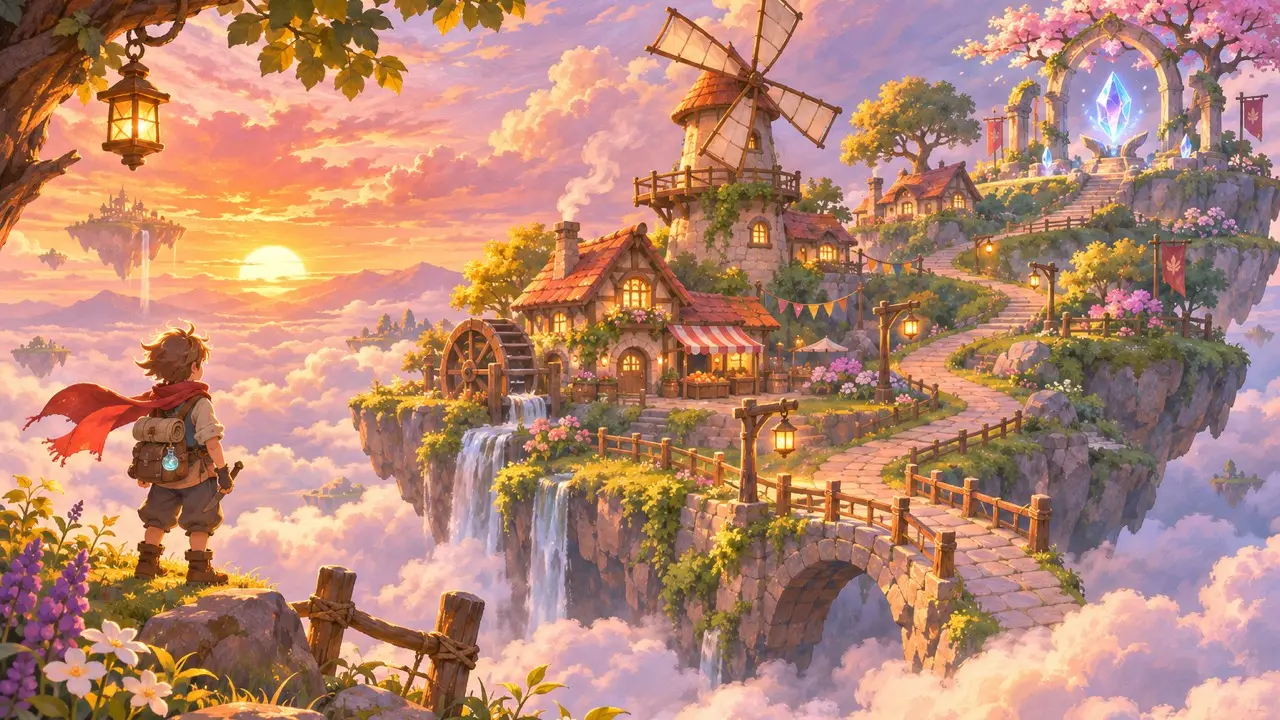
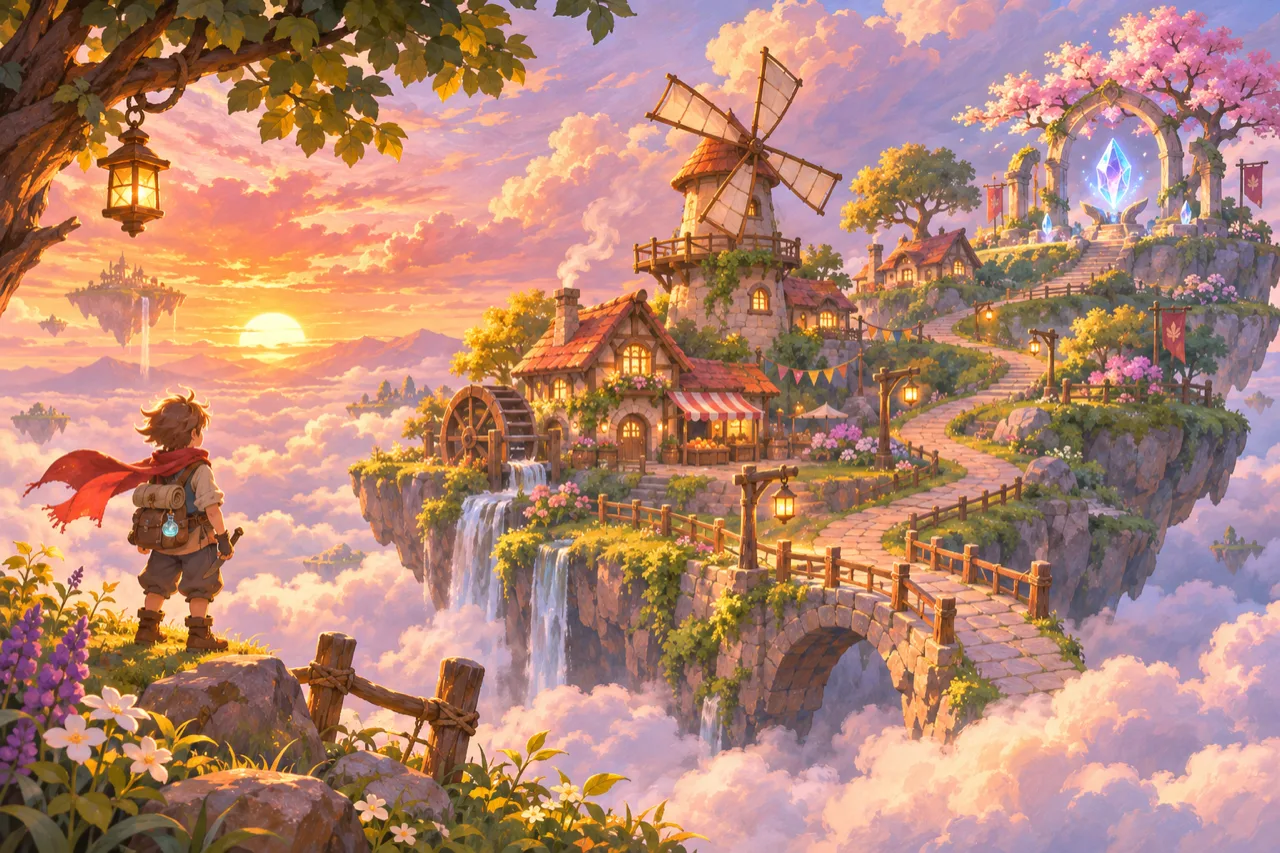
We asked for key art for a cozy fantasy adventure: a floating island village at golden hour, with a windmill, glowing lanterns and a path to a crystal shrine. The model got the mood, the light and a lot of small story details right on the first try.
Pixel Art Sprite Sheets
Sprites are where consistency matters most: the same character, the same palette, the same proportions in every frame. We asked for a fox knight in four rows, idle, run, jump and attack, with six frames each.
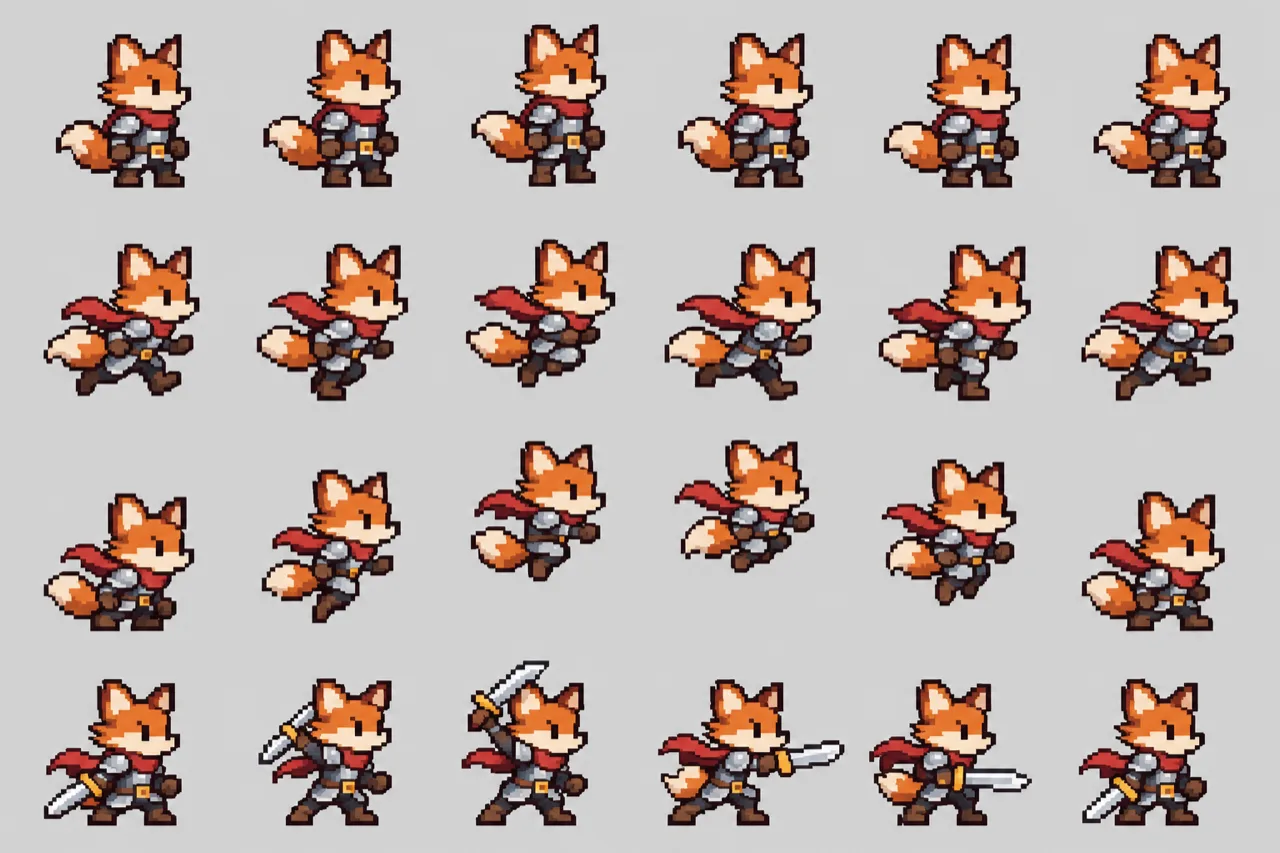
It is a great starting point for prototyping: drop it into your engine, slice it into frames, and your character is moving in minutes.
Inventory Icons
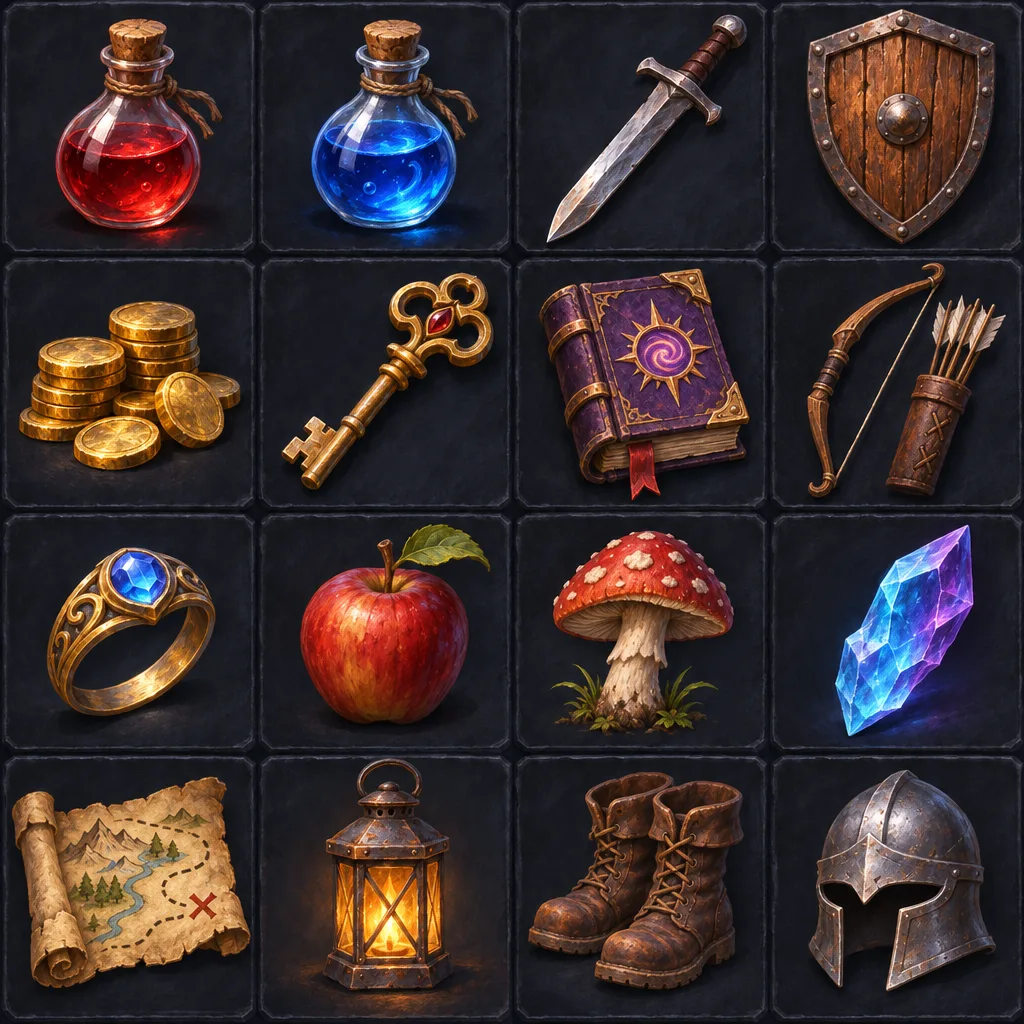
A whole set of matching icons is a classic chore for small teams. One prompt gave us sixteen hand-painted RPG items, from potions and coins to a map scroll and a lantern, all in one consistent style.
Level Concepts
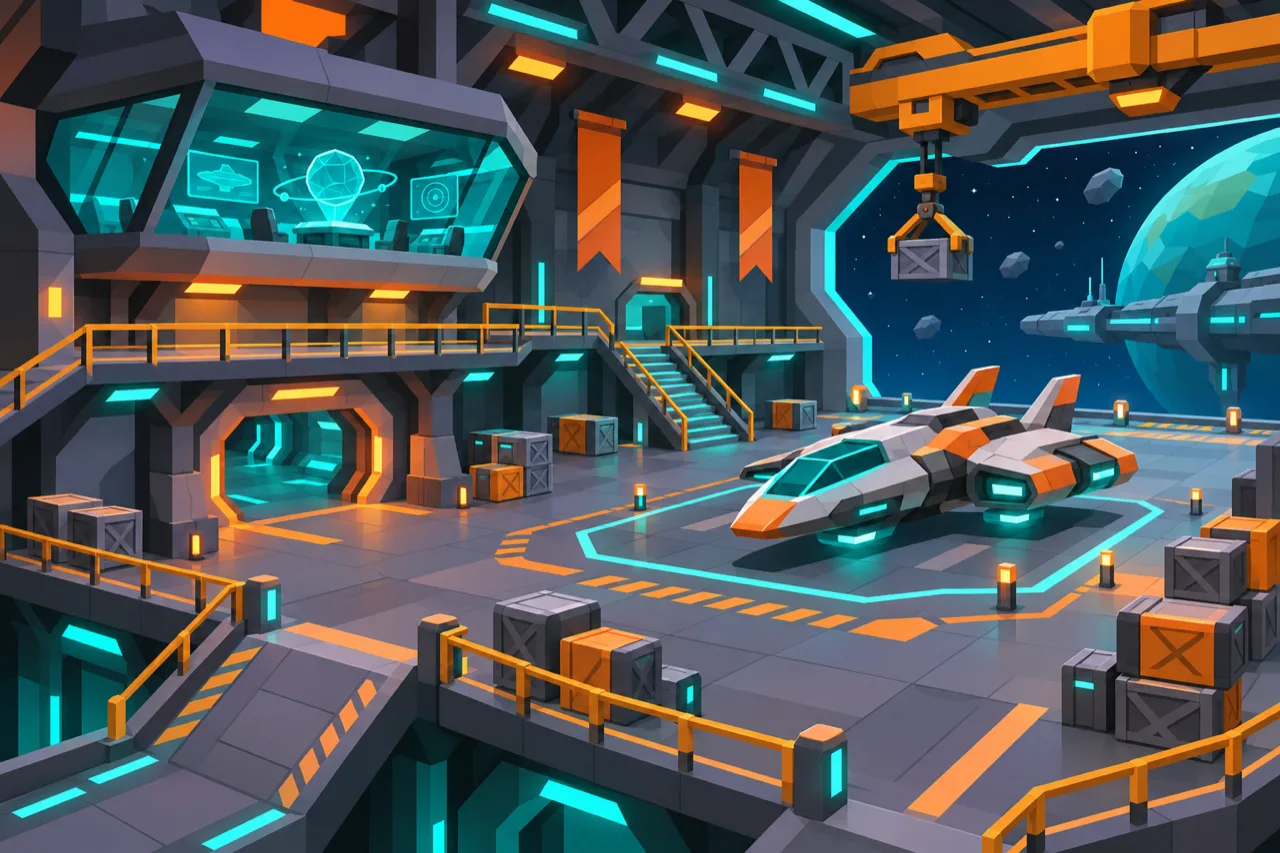
For level design, clear and readable shapes beat noise. We asked for a stylized low-poly hangar on a space station, and got a scene with catwalks, cargo, a parked ship and a strong teal and orange palette that reads well at a glance.
Tips for Great Game Images
- Say what the image is for: a sprite sheet, an icon, key art, a texture or a UI background. The model shapes the result to fit.
- Name the style: pixel art, hand-painted, low-poly, painterly, cel-shaded. One or two words go a long way.
- Ask for consistency when you need a set: the same character, the same palette, a plain background.
- Add "no text" when you do not want lettering in the picture.
- Start small, then refine: ask for a first version, then ask the agent to change the colors, the pose or the composition.
How Usage Counts
Both new models use your plan limit first, shown as a percentage of your allowance. When it runs out, work can continue from your extra balance if you turned on Extended usage on your account page. You never pay more for the switch itself: Fable 5.2 uses less of your limit per token than Fable 5.1, and GPT-Image 2.6 has the same token prices as 2.5.
The live list of models available in your region is at ai-game.dev/model-availability.
Get Started
- Download or update the AI Game Developer App from ai-game.dev/download and sign in.
- Open a chat and pick Fable 5.2 from the model list when you have a big task ahead.
- Ask the agent for an image, an icon set or a sprite sheet, and watch GPT-Image 2.6 at work.
- Quickstart guide: ai-game.dev/docs/quickstart
- Plans: ai-game.dev/pricing
- Cloud video and audio generation: ai-game.dev/blog/cloud-ai-video-audio-generation
- Discord community: https://discord.gg/cfbdMZX99G
Thank you for building games with AI Game Developer. Try the new models on your project, and share the best images you make with us in our Discord community. We cannot wait to see them.