Best AI for Godot and GDScript: Godot 4 Code That Actually Runs
The best AI for Godot is a strong model connected to the live Godot 4 editor, so it stops writing Godot 3 code. How to pick the model and set it up.
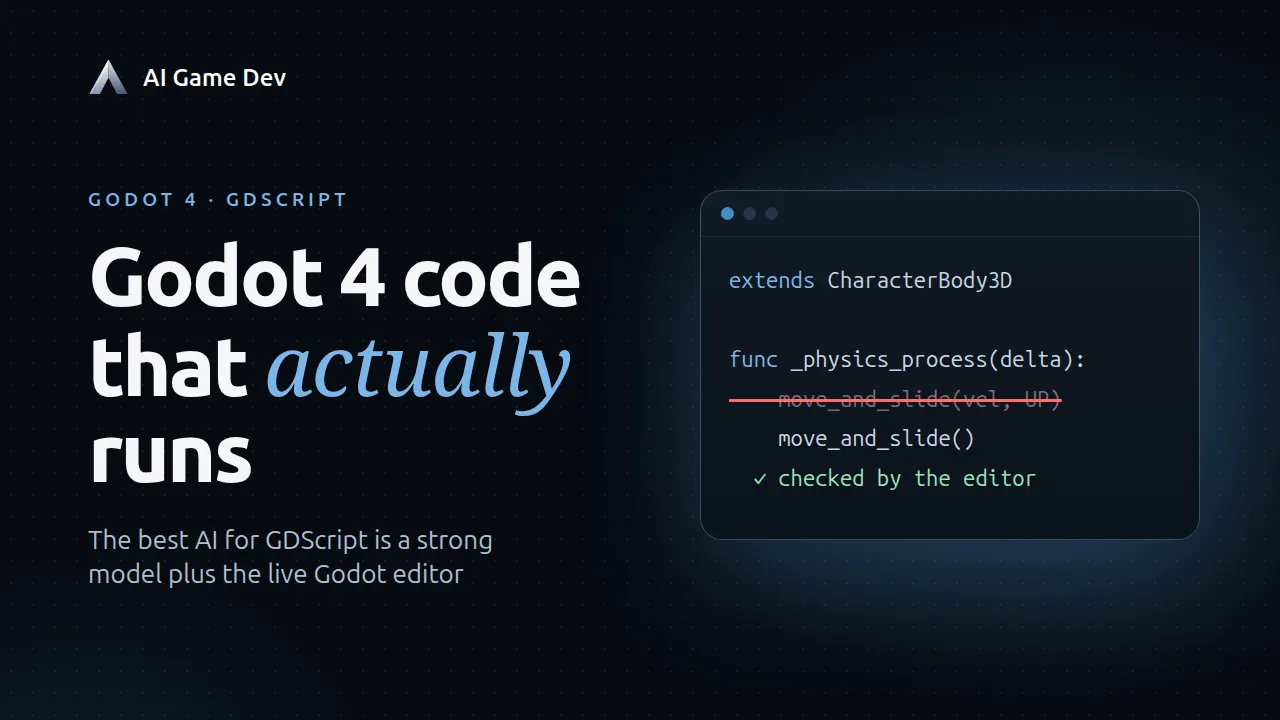
The best AI for Godot and GDScript is a capable agent model connected to your running Godot 4 editor, so it can read the real scene, check its GDScript with the engine's own parser, run code inside the editor and look at a screenshot of the result. The model alone is not enough: every model has read years of Godot 3 tutorials, and without the editor in the loop it keeps writing Godot 3 code into Godot 4 projects. In our experience the fix is the connection, not a bigger model. Pick Claude Opus 5.5 if money is no object or DeepSeek V4.1 Flash for the best price to quality, and give it our free Godot plugin. This post explains how that works and how to set it up.
The Godot 3 vs Godot 4 Problem
Ask any chat model for a Godot player controller and there is a good chance you get something that looks right and does not run. The reason is simple: Godot 4 changed a lot, and the web still holds far more Godot 3 code than Godot 4 code. Models learned from both and mix them freely.
The changes that trip models up most often, from Godot's upgrade guide and GDScript reference:
- Node classes were renamed: KinematicBody became CharacterBody3D, KinematicBody2D became CharacterBody2D, Spatial became Node3D, Sprite became Sprite2D, Particles became GPUParticles3D.
- Keywords became annotations: export var is now @export var, onready var is now @onready var, tool is now @tool.
- yield is gone as a coroutine tool. Godot 4 uses await, and yield is kept only as a reserved word for the transition.
- The setget syntax for setters and getters was replaced, and Godot's converter only partly rewrites it.
- Lifecycle overrides need super() to run the parent function.
For a model the version is a coin flip, and the error does not show up in the chat. It shows up later, as a parse error in the editor, a node that never moves or a signal that never fires. If you paste errors back and forth by hand, you become the model's compiler.
What the Best AI for Godot Needs
Whatever tool you choose, this is the checklist we use:
- It knows which Godot version you run, from the editor, not from its training data.
- It can look up the real classes, properties and methods of that version before it writes code.
- It checks every GDScript file with Godot's own parser and reads the errors with file and line.
- It can change scenes, nodes, resources and project settings directly, not only text files.
- It can run code in the live editor to try an API and see the answer in the same turn.
- It can see the result: a screenshot of the viewport, a camera or one node.
- Every change is undoable, and you keep your own client and model.
How AI Game Developer Connects an Agent to Godot
AI Game Developer for Godot (the Godot-MCP addon, godot_mcp) is a free, open source editor plugin under the Apache-2.0 license, commercial games included. It works with Claude Code, Codex, Cursor, GitHub Copilot, Gemini CLI, Cline and other MCP clients, and it also powers the Godot side of the AI Game Developer App, which has its own built-in agent (ai-game.dev/download). It is the same scheme we use for Unity and Unreal: the agent talks MCP to a server, which reaches the editor plugin.
The server is either the free ai-game.dev cloud relay (the default: no open ports on your machine) or a local server the addon downloads and runs for you, with no account and nothing leaving localhost. The addon itself opens no port and sends no telemetry.
Supported versions: Godot 4.3 to 4.7, and every release is tested in CI on 4.3, 4.4, 4.5, 4.6 and 4.7. Godot 3 is not supported. If you still have a Godot 3 project, convert it first with Godot's project converter (Project Manager, or the --convert-3to4 command-line option), then connect the agent to help with the parts the converter leaves behind.
Your game code stays GDScript
The addon is written in C#, so it needs the .NET build of the Godot editor and the .NET 10 SDK (.NET 8 is still supported), installed once. Your scripts, scenes and resources do not change. For an existing GDScript project you click Project, Tools, C#, Create C# solution once, which adds a .csproj and a .sln at the project root. The agent reads, writes and validates GDScript as before.
How the Plugin Keeps the Agent on Godot 4
The agent does not have to remember which Godot it is in. It asks the editor.
It reads the version and the API from the running editor
The plugin's data layer is RQL (Reflection Query Language), our own query language for live object graphs. The rql-schema tool lists the node classes in the edited scene and, for any type, its members, methods and Godot properties straight from the engine's ClassDB. So when the agent wonders whether it should use KinematicBody or CharacterBody3D, it does not guess: it asks rql-schema about CharacterBody3D and gets the properties your editor really has. The editor source also reports the Godot version, so the agent can check it in one query.
It validates GDScript with Godot's own parser
The script-validate tool parses and compiles .gd files inside the editor and returns structured diagnostics: path, line, message and severity. On Godot 4.5 and newer the line and message are exact, and GDScript warnings (unused variables, shadowed names and others you enable in Project Settings) come back too. On Godot 4.3 and 4.4 the result is coarser: pass or fail per file with the engine's error code.
That changes the loop. The agent writes onready var by habit, script-validate reports a parse error on that line, and the agent fixes it before you ever open the file. The RQL console source also captures engine errors, so a GDScript error that appears when a scene loads is visible to the agent as well.
The same check runs without an open editor, which makes it a good CI gate:
godot-cli check ./MyGodotProject
godot-cli check ./MyGodotProject --strict
check imports the project, builds the C#, boots the editor and loads every .gd file, reporting parse errors as res://file:line. --strict also fails on GDScript and C# warnings.
It changes the scene directly, not only files
Most Godot work is not scripts. It is nodes, properties, signals, groups, input actions, autoloads, TileSets, Themes and shader parameters. With rql-query and rql-mutate the agent reads and changes all of these in one query instead of one tool call per node:
nodes | where class == "OmniLight3D" | select name props["light_energy"]
nodes | where name starts-with "Enemy" | set Visible = false
project | call AddInputAction("jump", ["Key:Space"])
nodes | where name == "Button" | call Connect("pressed", godot.find("UI"), "_on_pressed")
GDScript variables are reachable too: every Godot property, including script variables and GDExtension properties, is available through props. A mutation is all or nothing, it is one Ctrl+Z in the editor, and a dry run previews it before anything changes.
Compact queries also save tokens. In RQL's committed evaluation, with a DeepSeek V4.1 Flash agent on an 89-task catalog in a sandbox game world (three repeats), RQL tools reached 100% task success on the development split against 80.1% for conventional reflection tools (find, get object, set, call). The cost per successful task was about $0.00037 against $0.00693, roughly 19 times cheaper, with about 8.6 thousand tokens instead of 155 thousand and about 3.3 tool calls instead of 30. That is a sandbox benchmark, not a run inside Godot, and the method is in the RQL repository (github.com/IvanMurzak/RQL). More on the language: ai-game.dev/docs/rql.
It runs code in the live editor
Fixed tools never cover everything, so the agent can also write a short piece of code and run it immediately inside the running Godot editor with script-execute. In Godot that code is C#, compiled with Roslyn through our shared Code-Exec library, the same library behind C# execution in Unity and Python in Unreal. It sees the full Godot API and your game's compiled types, returns the value of the last expression and what the code printed, and acts on the open editor right away. This is not an AI that saves a script and asks you to run it: the agent tries an API, reads the answer and adjusts in the same turn.
For a GDScript project this still matters. Counting nodes, inspecting a resource, calling a method on a node or checking what a scene really contains are quick questions the agent can ask the editor in code, while your gameplay code stays GDScript. You can try it yourself from a terminal; a headless editor starts when none is running:
godot-cli exec '1 + 2'
godot-cli rql 'nodes | where name starts-with "Enemy" | count'
It looks at the result
The screenshot tools return a PNG of the editor viewport, of a specific camera, or of one node rendered alone from a chosen angle, straight into the conversation. Screenshots need a real GPU: a headless editor returns an empty image.
Extensions for popular addons
Optional extensions teach RQL about Godot features and community addons: Animation, CSG, GridMap, Navigation, Particles, Tilemap, and the Beehave, Dialogic, Phantom Camera and Terrain3D addons (the last three need Godot 4.4 or newer). They add no extra tools, so the agent's tool list stays small.
Which Model Is Best for GDScript
The plugin works with any model your client supports, so you can switch at any time. Our recommendations:
- If money is no object, use Claude Opus 5.5. In our view it is the best model available for this work, and it pays off on long sessions with many scenes and scripts.
- If you want the best price to quality, use DeepSeek V4.1 Flash: close to Opus in our experience at about 65 times lower cost, and the model we test our tools with on purpose. More in ai-game.dev/blog/best-ai-model-for-game-development.
- If you already use Claude Code, Codex or Cursor, keep it and connect the plugin.
- If you work offline or on a private project, use the local server mode.
In our experience every model we tried has the Godot 3 habit, the best ones included. A stronger model makes fewer of these mistakes, but what removes them is the loop: schema lookup before writing, validation after writing, a screenshot at the end. That loop is also why a cheap model can do serious Godot work.
Set It Up in Five Minutes
You need the .NET build of Godot 4.3 or newer, the .NET 10 SDK and, for the CLI, Node.js 22.14 or newer. It runs on Windows, macOS and Linux.
- Install the CLI and add the addon to your project. install-plugin copies the addon, adds its NuGet references to the .csproj and enables the plugin.
- Sign in once per machine with godot-cli login (cloud), or use the local mode from the addon's dock with no account.
- Configure your agent with setup-mcp, then open the editor with godot-cli open, which builds the C# first so the addon loads.
- Ask for something you can check: "Create 3 cubes in a circle with radius 2, then take a screenshot."
npm install -g godot-cli
godot-cli install-plugin ./MyGodotProject
godot-cli login
The full steps are at ai-game.dev/docs/quickstart. You can also install the addon from the editor's AssetLib tab or a release zip; the manual steps are on ai-game.dev/engines/godot. If your agent works mostly from a terminal, godot-cli setup-skills writes a short skill file that teaches it the CLI from a cold start; in our tests that skill cut the tokens a fresh agent spends on Godot by about a third (31%), on top of the CLI discovery fixes that had already cut them by about two thirds (ai-game.dev/blog/cli-for-ai-agents-fewer-tokens).
Prefer one app with the agent, the model choice and the engine connection together? Install the AI Game Developer App from ai-game.dev/download.
Honest Trade-offs
What works well and what to watch for:
- Better: Godot 3 code gets caught at the line where it was written, by Godot's own parser, before you run the game.
- Better: scene, resource and project edits are one query, one undo step, with a dry run.
- Better: free cloud or fully local, Apache-2.0, no telemetry.
- Worse: a GDScript-only project needs the .NET editor and a C# solution, once. Exports then use Godot's .NET export templates. As of November 2026, stable Godot 4 cannot export .NET projects to the web, so for a web build do not use the addon on that project, or remove the addon and its C# solution before you export.
- Worse: in-editor code execution is C#, not GDScript. For GDScript the agent writes and validates files and calls methods through RQL.
- Worse: on Godot 4.3 and 4.4 GDScript diagnostics are per file, not per line. Godot 4.5 or newer gives the best loop.
- Keep in mind: an agent that edits scenes and runs code can change a lot. Use version control, and never expose a local server without a token to a network.
Get Started
The best AI for Godot and GDScript is the one that knows it is in Godot 4 because it asked the editor, checks its own scripts and looks at the scene before it says done. Pick your model, add the plugin and start with a small task you can verify in the viewport: ai-game.dev/engines/godot.