CLI for AI Agents: Up to 83% Fewer Tokens in Unity, Unreal and Godot
We watched AI agents use our Unity, Unreal and Godot CLIs from a cold start, then cut their token use by up to 83%. What we changed and what we learned.
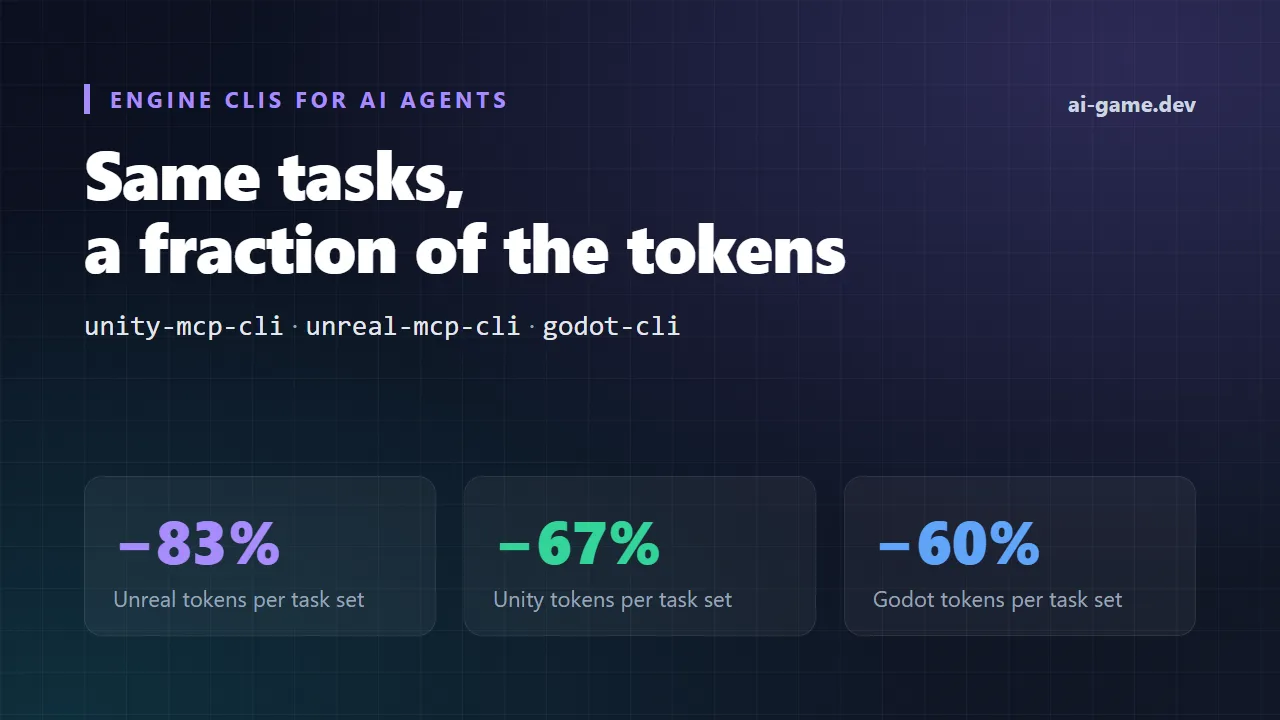
Our three engine command-line tools, unity-mcp-cli, unreal-mcp-cli and godot-cli, now cost AI agents far less to use. On the same editor tasks, a cold-start agent spends 60% to 83% fewer tokens and makes noticeably fewer tool calls than it did with the previous versions. We got there by doing something simple and a little humbling: we gave a small AI agent nothing but the CLI, watched where it got stuck, fixed that, and measured again.
This post walks through the three rounds of that work, the numbers (including the one that went the wrong way), and the lessons that apply to anyone building a CLI for AI agents. If you use Claude Code, Codex or another agent with Unity, Unreal Engine or Godot, these changes mean shorter sessions, fewer retries and a smaller bill.
How We Tested a CLI for AI Agents
Every run in every round used the same strict setup, so the results reflect what a real agent meets on a real machine:
- The agent is a small, fast LLM (DeepSeek Flash). A small model shows rough edges that a large model quietly works around.
- It gets only the CLI and basic file tools. No MCP connection, no documentation, no hints in the prompt.
- It starts cold: a fresh project, the engine closed, nothing cached.
- A run passes only if the real end state is right: the scene or level files on disk, or the compile result. What the agent says it did does not count.
We counted the tokens the agent read and wrote, the number of turns or tool calls, the tool errors and the tasks passed. Then we read the transcripts, because the numbers tell you that something is slow, and the transcripts tell you why.
Round 1: Can an Agent Find Its Way?
The first transcripts were rough. Agents never found the editor's AI tools at all. When the CLI said "not logged in", they edited config files by hand to get past it. They guessed command names that did not exist. None of that is the agent's fault: the CLI simply did not tell it what it needed to know.
So the first round of fixes was about discovery:
- A new tools command lists the editor's AI tools even when the engine is closed. It starts a headless editor once, caches the list, and answers from the cache after that.
- The --help output now ends with a short everyday-workflow footer: the handful of commands an agent actually needs, in the order it needs them.
- A machine that was never signed in to ai-game.dev now gets a local server instead of a dead end. A machine that is signed in always stays on the cloud.
- The headless editor survives compile errors and tells the agent where its log is, instead of failing without a word.
- New test and compile commands (godot-cli calls it check), plus a dialog command for Unity and Unreal that lists the modal dialogs blocking the editor and can press a button on one.
- Exit codes are the same across the three CLIs, and the agent-facing commands accept --format json for output a script can parse.
Comparing the first round with the final round of this phase (one run per task):
- Unity: input tokens 275k → 104k (−62%), turns 46 → 30.
- Godot: input tokens 598k → 203k (−66%), turns 71 → 40, tasks passed 3/4 → 4/4, tool errors 27 → 6.
- Unreal: input tokens 383k → 414k (+8%), turns 66 → 60, tool errors 13 → 8.
Across all three engines, the agent used 1.9 times fewer input tokens per solved task (114k → 60k), and passed 12 of 12 tasks instead of 11 of 12.
Yes, Unreal went up. The agent made fewer errors and finished in fewer turns, but it read more along the way. Round 1 fixed what the agent could find. It did not yet fix how much it had to read, and that is what the next round was about.
Round 2: Every Early Byte Is Paid Again on Every Turn
The key insight of this round is simple once you see it. An agent's conversation grows with each step, and everything it read early is sent to the model again on every later turn. A large help page read on turn one is paid for again on turn two, turn ten and turn thirty.
In the baseline, the root --help (4.8 KB, and always the first thing an agent reads) made up 43% of the token weight of all tool output. The RQL schema made up another 24%. Two early reads were two thirds of the cost.
The fixes:
- A short --help with ready-to-use RQL recipes, so the agent can copy a working query instead of studying a reference.
- A compact schema overview instead of the full one.
- RQL errors that include a hint about the right source or member name.
- A first-class rql command that takes the query as a plain argument, with no JSON quoting to get wrong.
- Save operations that print the files they wrote to disk. Agents used to spend 4 to 9 extra calls checking that a save really happened.
RQL is the query language our editor tools use to read and change scenes, objects, components and assets. You can read more about it at ai-game.dev/docs/rql.
We measured each idea on its own before stacking the next one on top. On Unreal, with three runs per task, the ladder looked like this:
- Baseline: 403k tokens, 60 tool calls.
- Short help with recipes, compact schema, RQL hints: 123k tokens (−69%).
- Plus the first-class rql command: 106k tokens (−74%).
- Plus saves that print the files written: 68k tokens (−83%), 31 tool calls (−48%).

The same changes applied to all three CLIs, measured from a cold start on every run (Unreal three runs per task, Unity and Godot two):
- Unreal: tokens 403k → 68k (−83%), tool calls 60 → 31.
- Unity: tokens 248k → 82k (−67%), tool calls 33.5 → 26, tasks passed 4/4.
- Godot: tokens 131k → 53k (−60%), tool calls 34 → 28.5, tasks passed 4/4.

Round 3: A Small Skill Written by the CLI Itself
Many agents support skills: short instruction files the agent loads when a task matches. The setup-skills command of each CLI now writes a skill of about 2.2 KB, offline, with no editor running. The skill is generated from the same source as --help, so the two can never drift apart.
We compared agents with no skill against agents with the skill, both on the optimized CLI, across three editor tasks and 207 isolated runs:
- Unity: tokens 160k → 60k (−63%), tool calls 42 → 23, 18/18 passed.
- Unreal: tokens 87k → 53k (−39%), tool calls 37 → 24, 9/9 passed.
- Godot: tokens 117k → 81k (−31%), tool calls 49 → 39, 18/18 passed.

Three things surprised us while tuning the skill:
- A shorter skill beat a longer one. Every line of a skill is re-read on every turn, just like the help.
- A rule worded as a warning made agents run extra checks. Stating the fact plainly worked better than warning about it.
- For tasks that are only about code, the skill does not help much. Its value is in editor work: scenes, levels, objects and assets.
Lessons for Anyone Building a CLI for AI Agents
None of this is specific to game engines. If you build a command-line tool that AI agents will use, these are the lessons we would pass on:
- Put the workflow and recipes in --help. Agents read help first. Give them the five commands that matter and a working example of each, not a full reference.
- Keep early output tiny. Whatever an agent reads in its first few turns is paid for again on every later turn. Cut the first screen hard.
- Make results self-verifying. When a save prints "Saved to disk" with the file paths, the agent stops spending calls to check.
- Give every error a next step. An error that names the valid options turns a dead end into one more call.
- Measure with a cold-start eval. Use a small model, a fresh project and a check of the real end state. Read the transcripts, change one thing, and measure again.
Try It
The new commands are out in the latest release of each engine plugin: unity-mcp-cli 1.11.1, unreal-mcp-cli 0.31.1 and godot-cli 0.39.1. If unity-mcp-cli --help (or the Unreal or Godot equivalent) does not list rql and tools, you are on an earlier version, and the update command brings you to the latest.
npx unity-mcp-cli tools
npx unity-mcp-cli rql 'objects | where name starts-with "Tree" | count'
npx unity-mcp-cli compile
npx unity-mcp-cli setup-skills claude-codenpx unreal-mcp-cli tools --filter rql
npx unreal-mcp-cli rql 'actors | where Label starts-with "Rock" | set Scale = Scale * 1.5'
npx unreal-mcp-cli rql 'editor | call SaveLevel()'npx godot-cli rql 'nodes | where name contains "Enemy" | count'
npx godot-cli check
npx godot-cli setup-skills claude-codeThe first editor command starts a headless editor and keeps it warm, so there is no need to open the engine first. A change made with rql prints what changed and which files were written, so your agent can move straight on to the next step.
Get Started
- Unity: ai-game.dev/engines/unity
- Unreal Engine: ai-game.dev/engines/unreal
- Godot: ai-game.dev/engines/godot
- The RQL query language: ai-game.dev/docs/rql
- Quickstart guide: ai-game.dev/docs/quickstart
- Discord community: https://discord.gg/cfbdMZX99G
We will keep running these cold-start evals as the CLIs grow. If your agent gets stuck somewhere, tell us on Discord: a transcript of where it went wrong is exactly what we need.