Best Game Engine for Beginners in 2026 (When You Build with AI)
Our pick of the best game engine for beginners in 2026: start with Three.js, then Godot, then Unreal and Unity, and let an AI agent do the heavy lifting.
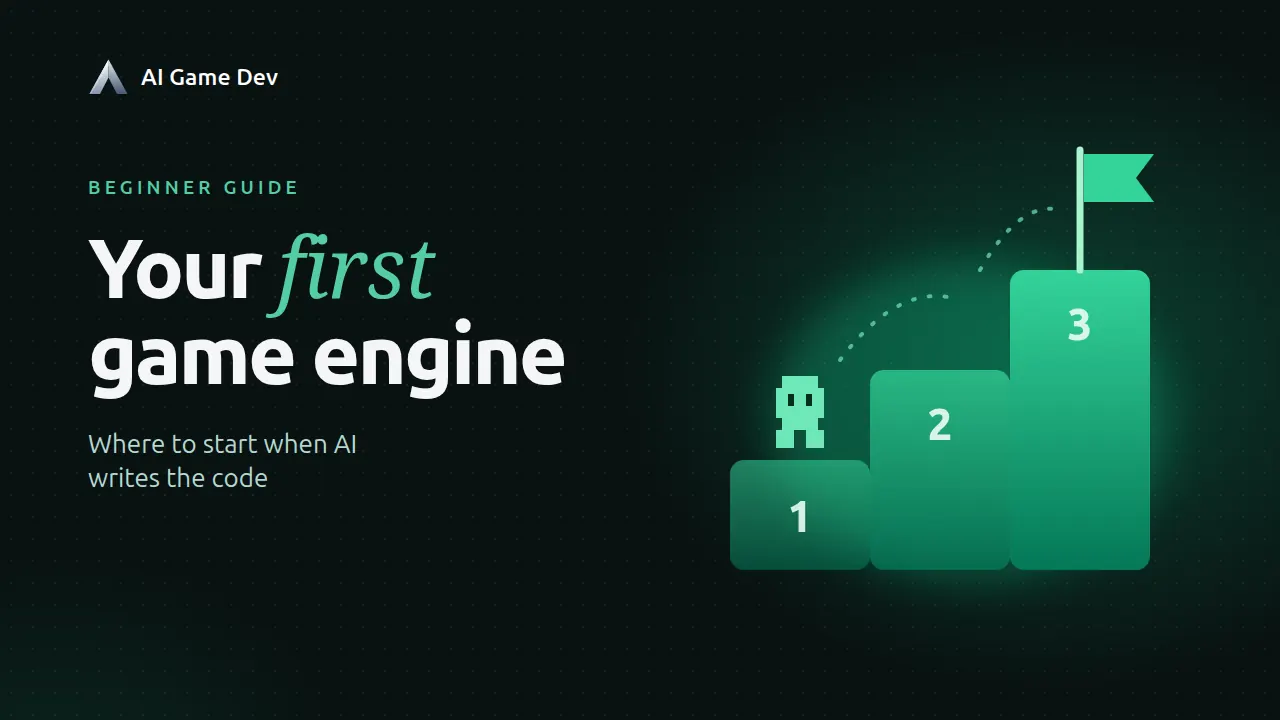
The best game engine for beginners in 2026 is, in our experience, Three.js for your first game, Godot for your second, and Unreal Engine or Unity once you know what kind of game you want to make. All of them, with an AI agent doing most of the typing. That order looks unusual next to the classic "just learn Unity" advice, and the reason is simple: in 2026 the engine you pick matters much less than the setup around it. A beginner with an AI agent and good game-dev infrastructure ships faster in any engine than a beginner who spent three months memorising one editor.
This post explains that order, what each engine is good and bad at for a newcomer, what the licences cost as of November 2026, and a concrete first-week plan. For a head-to-head of the three big engines, see ai-game.dev/blog/unity-vs-unreal-vs-godot.
Why Engine Knowledge Matters Less Than It Used To
For twenty years, choosing an engine meant choosing what you would spend the next year learning: its editor, its scripting language, its quirks. Tutorials were engine-specific, and switching engines meant starting over.
AI agents changed that. A modern agent already knows the APIs of Unity, Unreal, Godot and three.js better than most people who use them daily. It writes the boilerplate, remembers the right component name, and reads an error message without getting frustrated. Agents are already faster and better than people at many of these tasks. What they lack is not knowledge, it is access: an agent that can only edit files on disk is guessing. It cannot see the scene, press Play, read the console or notice that the character falls through the floor.
So the useful question for a beginner is not "which engine should I learn?" but "in which engine can my AI agent see, run and test the game?" Good infrastructure is what turns a clever chatbot into a game developer that works. With it, the agent:
- reads the live scene and the console instead of guessing from code;
- runs short pieces of code inside the open editor and gets the result back immediately;
- starts the game, sends input, takes screenshots and checks that the change actually works;
- fixes its own compile errors before you even see them.
That is what we build at ai-game.dev, and it is why our recommendation below is ordered by how quickly a beginner gets to a playable result with an agent, not by how famous the engine is.
Best Game Engine for Beginners: Our Recommended Order
- Three.js: your first game, in a browser, in minutes.
- Godot: your first "real" engine with an editor, free and light.
- Unreal Engine: when you want high-end 3D and are ready for a heavy toolchain.
- Unity, and the rest: when you need its ecosystem, its platforms or a team that already uses it.
Each step is optional. Plenty of people never leave the browser, and that is fine. Plenty of good games are made in Godot alone.
1. Three.js: Start Here
Three.js is a JavaScript library for 3D in the browser, released under the MIT licence. A three.js game is a web page: TypeScript code that builds a scene, a camera and a frame loop. There is no editor to learn and nothing to install beyond Node.js.
Why it is the best first step, in our experience:
- The feedback loop is instant. Change a value, the page reloads, you see the result in about a second.
- Everything is plain code, which is exactly what AI agents are strongest at.
- Sharing is trivial: a web game opens on any computer or phone with a browser.
- There is no licence fee and no revenue threshold.
What is worse:
- There is no visual editor. Placing objects by hand, painting terrain or animating in a timeline is not built in.
- Large 3D worlds, heavy physics and console releases are not what it is for.
- You assemble your own toolkit (physics, audio, UI) from libraries.
For a beginner working with an agent, the first two drawbacks matter less than they seem: the agent places objects in code and adds a physics library when the game needs one. In AI Game Developer, a Web (Three.js) project starts from a ready scene, the app provisions Node.js for you, and the game runs in a panel next to the chat where the agent can take screenshots, send keyboard and mouse input and run scripted playtests. The full walkthrough is at ai-game.dev/blog/threejs-game-development-with-ai.
2. Godot: Your First Editor
Godot is a free and open source engine under the MIT licence, with no royalties and no revenue limits. The editor is small, starts fast and runs on modest hardware. It handles 2D especially well and is good enough at 3D for most indie projects. Its scene-and-node model is easy to grasp: everything is a tree of nodes, and a scene is just a saved branch of that tree.
What is better than the alternatives:
- No cost, ever, and the licence is not going to change on you.
- A light install and a fast editor, so iteration stays quick.
- A strong 2D toolset, which is where most beginner games start.
What is worse:
- A smaller asset marketplace and fewer ready-made solutions than Unity or Unreal.
- Console publishing needs third-party porting services.
- High-end 3D rendering is behind Unreal.
One practical note: the AI Game Developer addon for Godot is written in C#, so it needs the .NET build of the Godot 4.3+ editor and a .NET SDK installed once. Your own scripts can stay GDScript: the agent reads, writes and validates GDScript too. When you create a Godot project from the desktop app, it can download a verified .NET editor for you if none is installed. With the addon connected, the agent works inside the open editor: it reads and changes scenes, nodes, resources and scripts, builds and runs C#, and looks at screenshots of the viewport. Setup is on ai-game.dev/engines/godot and ai-game.dev/docs/quickstart, or from the command line:
npm install -g godot-cli
godot-cli install-plugin ./MyGodotProject
godot-cli login
godot-cli setup-mcp claude-code ./MyGodotProject
godot-cli open ./MyGodotProject
3. Unreal Engine: When You Want Big 3D
Unreal Engine produces the best-looking real-time 3D of the group, and it comes with a huge set of free tools: animation, landscape, lighting, cinematics. As of November 2026, Epic's standard licence is free to start and charges a 5% royalty on a game's lifetime gross revenue above the first 1 million US dollars.
What is better:
- Top-tier visuals, lighting and tooling out of the box.
- Blueprints, a visual scripting system that makes logic readable.
- A proven path to PC and console releases.
What is worse for a beginner:
- A large install and demanding hardware. Opening a project is slow on an average laptop.
- C++ compile times stretch the "change and look" loop.
- The editor is enormous; even simple things live several menus deep.
This is exactly where an agent with infrastructure pays off most. The agent can run Python inside the open Unreal editor to inspect and change the level, so you do not need to know which of a hundred panels holds a setting. Our plugin needs Unreal Engine 5.5 or newer and a C++ project; details are at ai-game.dev/engines/unreal. We also measured how agents use our Unreal command-line tool and cut their token use sharply, as described in ai-game.dev/blog/cli-for-ai-agents-fewer-tokens.
4. Unity and the Rest
Unity is still the most widely used engine for mobile and indie games, with the largest asset store and the most tutorials. As of November 2026, Unity Personal is free up to 200,000 US dollars in revenue and funding.
What is better:
- The biggest ecosystem of assets, plugins and answers to every question.
- Mature mobile, console and XR support.
- C#, a clean and widely used language.
What is worse:
- A heavier editor and slower iteration than Godot or the browser.
- Licence terms have changed several times in recent years, so read the current terms before you commit a commercial project.
Unity has the deepest integration in AI Game Developer: the agent can read and change scenes, prefabs and components, compile and run C# inside the editor, and add extensions for things like particles and animation. If you go this way, start from ai-game.dev/engines/unity and the full walkthrough at ai-game.dev/blog/build-game-with-ai-claude-code.
The rest: the desktop app also creates and runs Bevy (Rust) and BRUTAL (.NET) projects. They are great engines, but we would not start a total beginner on them. Bevy has no editor and Rust has a steep learning curve; come back to it when you enjoy systems programming.
If You Need X, Pick Y
- You have never made a game and want something playable this weekend: Three.js.
- You want to share your game with friends by sending a link: Three.js.
- You want a 2D platformer, puzzle game or pixel-art RPG: Godot.
- You have an older laptop or limited disk space: Three.js or Godot.
- You never want to think about licence fees: Three.js or Godot (both MIT).
- You want photorealistic 3D, an open world or a shooter: Unreal Engine.
- You want to sell on consoles one day: Unreal Engine or Unity.
- You want a mobile game with ads and in-app purchases: Unity.
- You want to join a studio or a game jam team that already has an engine: use theirs.
Your First Week: A Practical Plan
- Day 1: install AI Game Developer from ai-game.dev/download, create a Web (Three.js) project from a starter scene and press Play.
- Day 2: ask the agent for one mechanic at a time: "add a player that moves with WASD", then "make the camera follow the player". Look at each result before asking for the next.
- Day 3: ask the agent to write a playtest that checks the mechanic, for example that the player can reach the second platform. Learn to read its PASSED or FAILED report.
- Day 4: add one thing that makes it a game: a goal, a score, a timer or an enemy.
- Day 5: send the game to a friend and watch them play. Write down three problems.
- Day 6: fix those three problems with the agent.
- Day 7: decide. If the browser feels limiting, recreate the same small game in Godot. You will learn the editor much faster when you already know what you want to build.
A few habits that help whatever engine you pick:
- Ask for small changes. One mechanic per request beats "make me a game like Hollow Knight".
- Always look at the result. The agent can check its own work, but you decide whether it is fun.
- Keep each task in a fresh conversation. Long chats make any agent less sharp.
- Commit often with git, so a bad change is one click to undo.
Which AI Model to Use
Engine choice matters less than it used to; model choice matters more than most beginners think. DeepSeek V4.1 Flash comes close to Claude Opus 5.5 at about 65 times lower cost in our usage, and Opus 5.5 is the strongest if money is no object; the comparison is at ai-game.dev/blog/best-ai-model-for-game-development.
Infrastructure also decides how much each task costs: the same model performs very differently depending on the tools you give it. Our RQL query tools cut the tokens an agent spends on engine data; the benchmark is at ai-game.dev/docs/rql.
The Bottom Line
Do not spend your first month choosing an engine. What carries over between all of them is not engine trivia but the way you work: small steps, a live game you can look at, and an AI agent that can see, run and test what it builds.
AI Game Developer gives the agent that access in all of these engines, from one desktop app. Download it at ai-game.dev/download, and read the app guide at ai-game.dev/docs/app to get started.